What is SharePoint

SharePoint is a secure, cloud-based platform that enables us to collaborate and share information. It provides a virtual workplace for teams to work together on projects, share ideas, and stay connected no matter where you are.
You can share files, calendars, and other information with colleagues, you can create lists, automation tasks, document approval processes and more.
SharePoint is part of Microsoft Office 365, so you can use familiar Microsoft Office applications like Word, Excel, and PowerPoint.
Your files are stored safely & securely, they are accessible when and where you need them, and they are backed up. Any changes you make will be versioned so that the old versions can always be accessed if required.
SharePoint also stores a lot of information on files, such as who looked at them, when they were created, who can access them and what type of access they get, and you can extend this metadata to include more information such as document approval status.
More than file storage
SharePoint is much more than just a file storage system though. It is an environment where you can create & share calendars, to-do lists, task requests, and more. You could think of SharePoint as your virtual office in the cloud. SharePoint can also be used as a communication tool, showcasing information.
- File sharing and collaboration
- Document management
- Workflows and Alerts
- Content Publishing
- Expandable via SharePoint app store
Using SharePoint
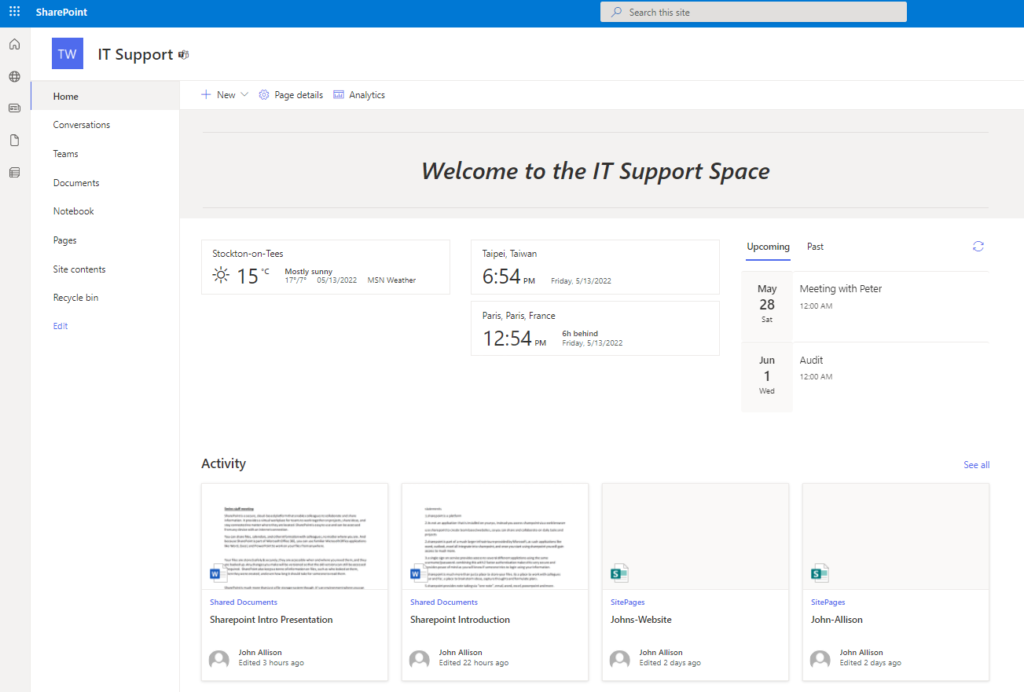
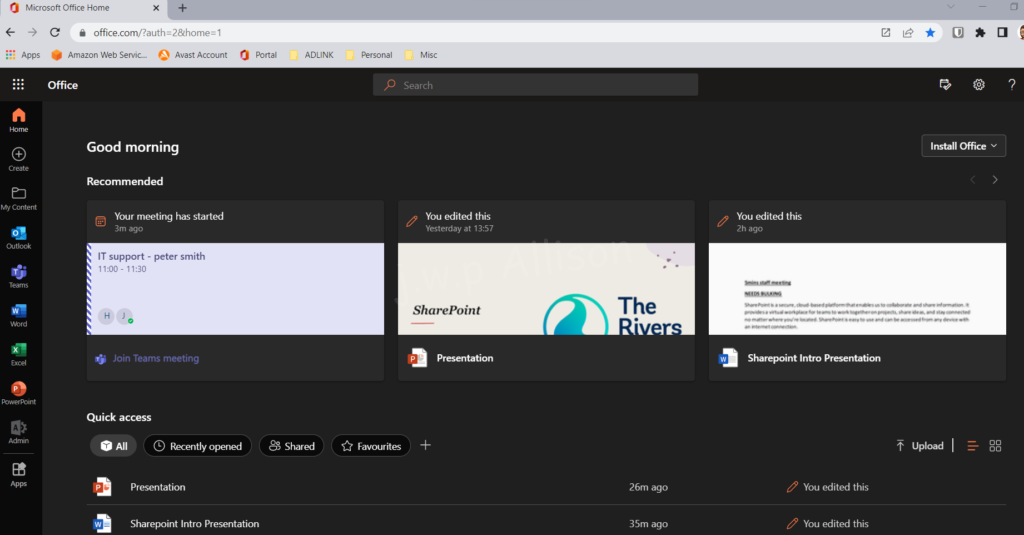
When you access your SharePoint portal, you will see the sites that you have access to – along with files you have recently worked on, files colleagues have shared with you, recent activity, news and more.
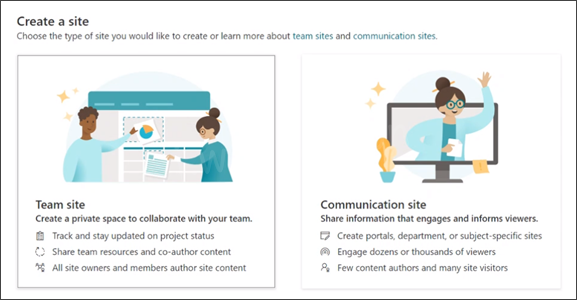
From here you can create a new site, for a new project you will be working on (referred to as a ‘team site’, or a site to show some company information you need to share – this is called a ‘communication site’.
However, usually you will enter an existing site – each site is fully customisable.
Team Site vs Communication Site
SharePoint provides two types of sites, Team sites and Communication sites.
Team Site
Space optimized for a team of people to collaborate on a project or content together. With navigation designed to help you get to and interact with content.
Communication Site
Space designed for small group of authors to broadcast or publish content. With navigation geared towards browsing information.
Final Thoughts
Before you start using SharePoint it is important to analyse current business processes, file storage arrangements, etc and work on a migration plan.
Although changes can always be made, the more work that is spent planning, the better the implementation will be.